
Keeping clients' computers safe and profitable for over 40 years
Home Forms About Current Newsletter subscribe
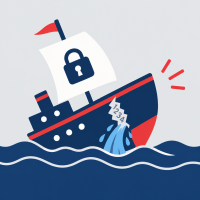
Weak passwords sink accounts
|
 |
Twenty-six years ago I wrote a password manager program that I gave to my clients. It allowed them to encrypt all their passwords and other license information. It generated long unique passwords. In time I told clients to switch from my OCS Password Program to Keepass. KeePass has better encryption. It is more secure. It was obvious back then, more than a quarter century ago, that people needed long unique and apparently random passwords. Keepass remains a good option, but I prefer Bitwarden now. The added value of Bitwarden is that it automatically syncs your various devices, phones, tablets, laptops, and computers. With Keepass, you have to copy the data file from one device to another or find another way to sync it.
Although a password manager was obviously essential a quarter century ago, most people still don't use one. Almost as bad, even when they do, they misuse it!
Most data breaches occur because of weak passwords
- According to Verizon's Data Breach Investigations report, 81% of data breaches leverage weak or stolen passwords.
- 37% of identity-based threats come from weak or reused passwords
- 94% of the 19 billion passwords exposed in a 2024-2025 study were reused or duplicated. Only 6% were unique!
- Most credential stuffing attacks rely on password reuse. These are usually compromised login pairs (username and passwords).
Some general statistics
- The average user has to manage 250 passwords.
- 73% of U.S. adults do not use a random password generator for new passwords.
- 79% of U.S. adults just mix a word or two with some numbers. This makes breaking passwords a cinch.
- Over 24 billion login pairs (username and password), were compromised in 2022 alone! These are for sale on the dark web.
- 59% of U.S. adults use personal names or birthdays in their passwords. This must be an attempt to assist hackers.
- Only 15% of computer users use a password manager.
- 88% of passwords used in successful attacks were 12 characters or less!
Password managers are not enough
- It isn't enough to have a password manager. You must use it to make new, unique, long passwords.
- The password manager needs a good long password, but that, and a login to your computer, are all you need to know.
- Never ever reuse a password.
My Recommendations
- Never click on links in emails. I won't ever click on any link from a bank or other important site. Login to your account from your password manager. Copy the site log in address into the Address field in your password manager. Then click it to log in to launch the log in.
- A good way to make a memorable password is to think of 2 sentences no one else will know or think of. Then put a few numerals after the first sentence (perhaps 222) and a few characters after the last one (perhaps ,,,). Then use the first two characters of each word in the two sentences. Breaking my rule and just using a single sentence, for example, the first sentence in the paragraph, makes this password for a password manager: - For example, "Never click on links in emails. It is very very dangerous." That would become Neclonliinem.222Itisveveda.,,, — This would make a pretty good password manager password and is easy to type and not difficult to remember.
- Go through your old passwords that are weak and fix them.
- Never even look at your passwords. Have your password manager generate them and fill them in for you. Don't type them. Don't look at them.
- Always create new passwords in your password manager. Then save it and use it to log into the new site for the first time. This way, you always know that the password in the manager is right. Otherwise, you wouldn't be able to get in. There is no chance for a problem on your part. - There can still be problems. Sometimes the rules a site has for creating a new password are different from the ones for logging in. So, your newly created password is too complex or difficult for logging into the site that allowed you to make it. But this doesn't happen too often.
Further Reading
- Password reuse: https://worldmetrics.org/password-reuse-statistics/
- SpaceLift 70+ Password Statistics for 2026

This article is licensed under a Creative Commons Attribution-NoDerivs 3.0 Unported License.