
Keeping clients' computers safe and profitable for over 30 years
Home Forms About Current Newsletter subscribe
Use Secure DNS
|
 |
Clearly, we need to trust the DNS server because it could be sending us anywhere. Furthermore, Microsoft defaults to just "whatever is on the other end of this connection.” So, if you were to go into a restaurant, you'll get whatever DNS server their router is using. Then you should hope it isn't compromised. DNS servers should also be fast. Even if you are connected to your local Internet Service Provider, the company that provides your Internet service, you don't know what DNS service they are using or if their servers are fast.
You should control your DNS server
I set all my clients up with Quad9. Quad9 is a free, public DNS service operated by the Swiss-based Quad9 Foundation, a non-profit organization. The main priorities of Quad9 are privacy and security. It blocks access to known malicious domains by referencing up-to-the-minute threat intelligence from multiple security partners. When you use Quad9 as your DNS resolver, it helps protect your devices from threats like malware, phishing sites, and botnets without collecting or storing any personal data and is fully compliant with strict Swiss privacy laws.
Quad9 offers high performance and reliability through a globally distributed network of DNS servers in over 110 countries. It is easy to configure on most devices and requires no sign-up or account.
Both Cloudflare and Google (among others) also offer excellent, fast DNS servers that provide malicious site protection. However, I prefer the Swiss Quad9 foundation. The point is that you should be selecting your DNS server, not taking whatever you get, and that server should help protect you.
What is a DNS Firewall?
In computer terms, a firewall protects your computers by limiting what can come in and go out. Rules are created to prevent attacks. Even Windows Defender offers some firewall features. All advanced antivirus applications, like Nod32, offer advanced firewalls with more features. A DNS firewall is like a firewall in that it restricts what can get into your systems according to rules, but it doesn't control what goes out or look at anything. It doesn't examine what is being sent, just the places you are connecting to. It has many rules that either specify particular sites (my most basic list blocks 141,993 sites) or break some general principle. For example, stop tracking sites, or new sites, or sites with names indicating they are dangerous. So, it is an excellent first layer of security.
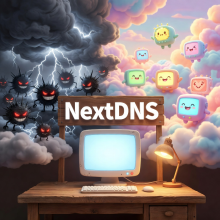
Why do I use NextDNS, not Quad9?
Even though I set up all my clients with Quad9 on their computers, I don't use it myself. Why not? I want even more protection, and I'm willing to pay $20/year to get it. I use a DNS-based firewall called NextDNS. It blocks malicious sites and advertising. NextDNS offers a free plan for up to 300,000 queries a month. If you exceed that, it falls back to a regular, but fast, DNS server. Everything will still work. I use 400,000 to 500,000 monthly queries, but mostly I pay because I want to support them.
I not only have NextDNS installed on all my devices, but I also use it on my router, so even my TV goes through it. My NextDNS blocks about 3,500 unwanted queries every day! This month it blocked 110,895 queries, and I am the only one here. Well, me and my devices.
They have small apps for all major operating systems, so it is easy to setup.
What do I get?
For Security
There are many options that NextDNS offers to protect you, but here are some I use:
- I've enabled their AI-driven threat detection. A proprietary AI engine designed from the ground up for DNS with hundreds of signals, terabytes of training data, and real-time decision-making. This option blocked 4 queries this month.
- Cryptojacking Protection: Prevents the unauthorized use of your devices to mine cryptocurrency.
- DNS Rebinding Protection: Prevents attackers from taking control of your local devices through the Internet by automatically blocking DNS responses containing private IP addresses.
- Enable Homograph Attacks Protection: Block domains that impersonate other domains by abusing the large character set made available with the arrival of Internationalized Domain Names (IDNs)—e.g., replacing the Latin letter "e” with the Cyrillic letter "?”.
- Typosquatting Protection: Block domains registered by malicious actors that target users who incorrectly type a website address into their browser—e.g., gooogle.com instead of Google.com.
- Domain Generation Algorithms (DGAs) Protection: Block domains generated by Domain Generation Algorithms (DGAs) seen in various families of malware that can be used as rendezvous points with their command and control servers.
- Block Newly Registered Domains (NRDs): Block domains registered less than 30 days ago. Those domains are known to be favored by threat actors to launch malicious campaigns.
- Block Dynamic DNS Hostnames: Dynamic DNS (or DDNS) services let malicious actors quickly set up hostnames for free and without any validation or identity verification.
- Block Parked Domains: Parked domains are single-page websites often laden with ads and devoid of any value.
- Block Child Sexual Abuse Material:
For Privacy
These block numbers are for the last 30 days.
- I use a specialized smart TV blocklist that blocked over 16,437 queries from my TV.
- My Roku-specific blocking agent on NextDNS blocked another 13,354 tracking or advertising queries.
- 2 piracy sites were blocked.
- My preferred blocklist stopped 110,313 queries.
Personal Preference (Parental Control)
I also block these categories. There are many other categories I'm not concerned with.
- Porn
- Dating
- Piracy
More Features
- It is easy to add sites to an allowlist or a denylist if there is some site blocked or not that needs to be treated differently.
- Great analytics
- Lots
- Simple setups
Summary
There are other DNS firewalls, but I like NextDNS best. I can't imagine how confusing my Internet would be with an extra 110,313 ads and trackers hitting my devices (phone, tablet, TV, computer, RoboVacuum, Garmin GPS, etc.) this month. I am delighted to pay $20/year for this protection to be added to my layered security.

This article is licensed under a Creative Commons Attribution-NoDerivs 3.0 Unported License.